
DeepSeek 4.0 Deep Research is best understood as a user search phrase, not an official feature name I could verify in DeepSeek's public documentation. The official wording points to DeepSeek-V4 Preview, including DeepSeek-V4-Pro and DeepSeek-V4-Flash, both positioned around long-context intelligence, reasoning, agent-style work, web/app/API use, and open-weight access.

Quick Summary
DeepSeek V4 looks useful for deep research-style workflows because it combines a 1M context window, stronger reasoning modes, document-heavy reading capacity, and cost-aware API options. That does not make it a complete research system by itself. Users still need source verification, citation checks, quote review, and human judgment before trusting conclusions.
For students, academic writers, and research teams, the practical workflow is to use DeepSeek V4 for reading, summarizing, outlining, and comparing sources, then pair it with an AI Research Assistant such as ScholarGPT AI for academic research support, math checking, rewriting, and source-conscious review.
Is "DeepSeek 4.0 Deep Research" an Official Feature?
I could not verify "DeepSeek 4.0 Deep Research" as an official DeepSeek product or feature name. In the official materials checked for this review, the named release is DeepSeek-V4 Preview, with model IDs such as deepseek-v4-pro and deepseek-v4-flash.
That distinction matters for readers. If you search for DeepSeek 4.0 deep research review, you are probably looking for whether the newer DeepSeek V4 family can support deep research tasks. The answer is yes, in the workflow sense: long-context reading, source synthesis, structured analysis, and agent-style tasks are all relevant use cases. But it is safer to describe the article as a review of DeepSeek V4 for deep research workflows, not as a review of an official "Deep Research" product mode.
The rest of this article uses "DeepSeek 4.0 Deep Research" only as a search-intent phrase and focuses on what DeepSeek V4 changes for research users.
What DeepSeek V4 Changes for Research Users
DeepSeek V4 changes the research conversation mainly through context length, reasoning modes, and deployment flexibility. The Hugging Face model card describes DeepSeek-V4 as a preview series with two Mixture-of-Experts models: DeepSeek-V4-Pro and DeepSeek-V4-Flash. It also states that both support a context length of one million tokens and that the model weights use an MIT license.
For research users, the 1M context window is the headline feature. It means a model can theoretically hold far more text at once: long papers, multiple chapters, reports, transcripts, notes, and source collections. In practice, this can reduce the need to split material into tiny chunks, though it does not remove the need to check whether the model actually used the right passages.
DeepSeek V4 also supports thinking-style reasoning modes through the API. That is useful when a research task needs a structured comparison, a methodology critique, a literature review outline, or a multi-step argument. For quick summaries, DeepSeek-V4-Flash may be more economical. For harder synthesis and reasoning, DeepSeek-V4-Pro is the more appropriate option to test first.
Long-Context Reading: Helpful, but Not Magic
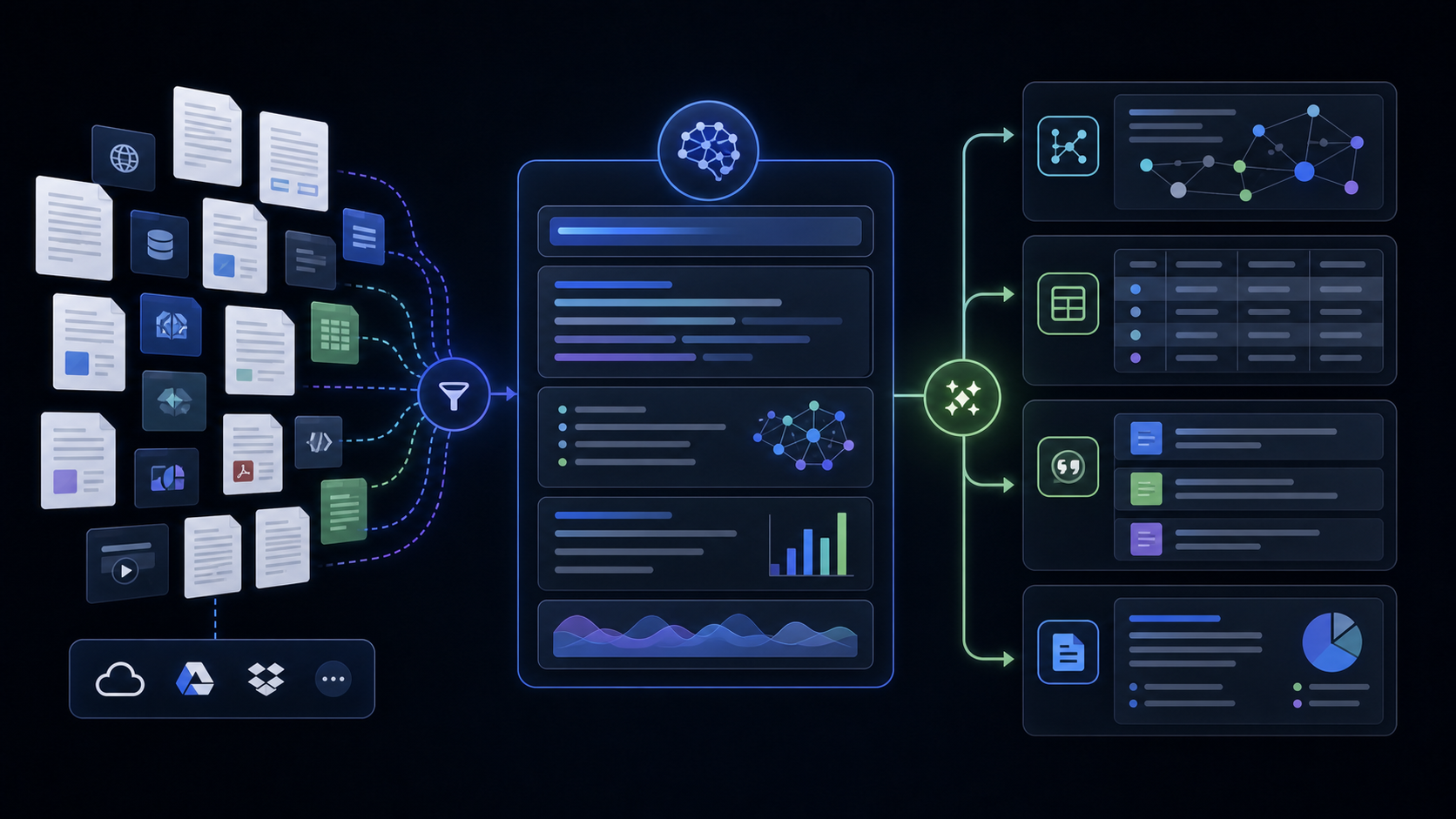
Long context is valuable for document-heavy analysis because research rarely fits into one small prompt. A literature review may involve dozens of abstracts, methods sections, tables, and notes. A policy review may require multiple reports and supporting documents. A technical paper may need definitions from one section and evidence from another.
DeepSeek V4's 1M context makes these workflows more convenient. You can ask it to compare several papers, extract disagreements between authors, identify recurring methods, or build a structured evidence table from a large source pack.
However, long context is not the same as perfect attention. A model can still miss details, over-weight early text, blend sources, or cite a passage that does not support the conclusion. The best use is not "upload everything and trust the answer." A better workflow is:
- Group sources by topic or research question.
- Ask for a source-by-source extraction first.
- Ask for synthesis only after extraction.
- Require every claim to point back to a source title, section, or passage.
- Manually verify important claims before writing.
Long context helps you move faster, but source discipline keeps the research credible.
Structured Reasoning and Source Synthesis
DeepSeek V4 is most useful when you give it a research structure instead of asking for a general answer. For academic work, the model should be guided toward extraction, comparison, critique, and uncertainty handling.
Useful prompts include:
Read these paper excerpts and create a table with: research question, method, dataset, key finding, limitation, and citation note. Do not merge findings across papers.
Compare these five sources on their definition of the same concept. Separate direct evidence from your interpretation. Flag any source that does not directly support the conclusion.
Create a literature review outline from these notes. Group sources by theme, identify disagreements, and list claims that still need citation verification.
These tasks fit DeepSeek V4 better than a vague prompt like "write a literature review." The model can help organize evidence, but the user must decide what is relevant, whether the sources are trustworthy, and whether the final wording fairly represents the literature.
Agent-Style Research Tasks
DeepSeek V4 also fits agent-style research workflows, especially through the API and agent integrations. DeepSeek's API docs list OpenAI/Anthropic-compatible API access, model IDs for V4 Pro and Flash, thinking mode, tool calls, JSON output, context caching, and agent integrations.
For research users, this can support workflows such as:
- Screening PDFs and extracting structured fields.
- Turning reading notes into evidence tables.
- Generating research briefs from multiple source folders.
- Creating citation-check task lists for a human reviewer.
- Running repeated summaries across a collection of documents.
- Building internal research assistants for teams.
The most reliable agent workflow is still modular. Let one step extract evidence, another step compare evidence, another step draft, and a final step check for unsupported claims. When an AI system tries to read, reason, cite, and finalize everything in one pass, errors become harder to catch.
Cost-Effective Research Workflows: Where Flash and Pro Fit
DeepSeek V4 can be cost-effective for research workflows because it separates lower-cost, higher-throughput usage from more reasoning-heavy usage. The official pricing page lists DeepSeek-V4-Flash and DeepSeek-V4-Pro, notes 1M context length, and tells users to check the page for current pricing because prices may vary.
In practical terms, use Flash for routine, repeatable, lower-risk tasks:
- First-pass summaries.
- Extracting fields from many documents.
- Sorting source notes.
- Drafting research questions.
- Creating quick comparison tables.
Use Pro for harder research tasks:
- Complex literature synthesis.
- Methodology critique.
- Multi-step reasoning over conflicting sources.
- Grant, thesis, or policy argument planning.
- Agentic workflows where mistakes are expensive.
This split matters for teams. A student may use Flash to organize a reading list and Pro only for the final synthesis. A research group may use Flash for batch extraction and Pro for higher-value reasoning. A developer may use API context caching and structured outputs to reduce repeated work, but should still monitor token usage and current pricing.
Open-Source and API Access
DeepSeek V4's open-weight positioning is important for researchers, developers, and institutions that care about model access. The Hugging Face model card lists DeepSeek-V4 model downloads and an MIT license. That makes DeepSeek V4 more accessible than closed-only systems, though practical local deployment of large MoE models still requires serious infrastructure and engineering knowledge.
Most users will access DeepSeek V4 through web, app, or API interfaces rather than running it locally. Developers can use the official API model IDs, while advanced teams can evaluate open-weight deployment if they have the hardware, security requirements, and maintenance capacity.
For academic research, open access has a real advantage: it allows more inspection, experimentation, and tool building. But "open-source" does not automatically mean easier, safer, or more accurate. You still need reproducible workflows, data privacy review, source tracking, and human oversight.
Reality Check: What DeepSeek V4 Still Cannot Replace
DeepSeek V4 can speed up research, but it cannot replace academic judgment. The model can summarize a paper incorrectly, miss a limitation, merge two similar claims, or produce a confident synthesis that is not fully supported by the sources.
Users should be especially careful with:
- Direct quotations.
- Citation claims.
- Medical, legal, financial, or policy conclusions.
- Statistics and equation-heavy sections.
- Claims about a paper's methodology.
- Literature review statements that imply consensus.
The safest pattern is to ask the model to separate source facts from interpretation. For example, request one column for "what the source says" and another for "possible interpretation." Then verify the source facts manually.
Where ScholarGPT AI Fits in the Workflow
ScholarGPT AI is a practical academic companion when you want AI research workflows to be more reliable, not just faster. DeepSeek V4 can help with long-context reading and broad synthesis, while ScholarGPT AI can support academic research tasks such as source-aware review, study workflows, writing improvement, and tool-specific assistance.
Use ScholarGPT AI as a second layer for academic discipline:
- Turn DeepSeek V4 summaries into cleaner research notes.
- Check whether a literature review outline still needs source support.
- Compare the output against dedicated research-assistant workflows.
- Use ScholarGPT research articles to understand Deep Research tools, academic assistants, and source-checking methods.
If the research includes quantitative methods, formulas, equations, or statistics, use AI Math Solver as a companion tool. It is useful for stepping through research math problems, checking equation logic, and reviewing coursework or statistics-heavy papers.
If the research output needs clearer language, use AI Rewrite Text to polish summaries, literature notes, abstracts, and research explanations while preserving the original meaning. This is especially helpful after DeepSeek V4 produces a dense or uneven draft.
Practical DeepSeek 4.0 Research Workflow
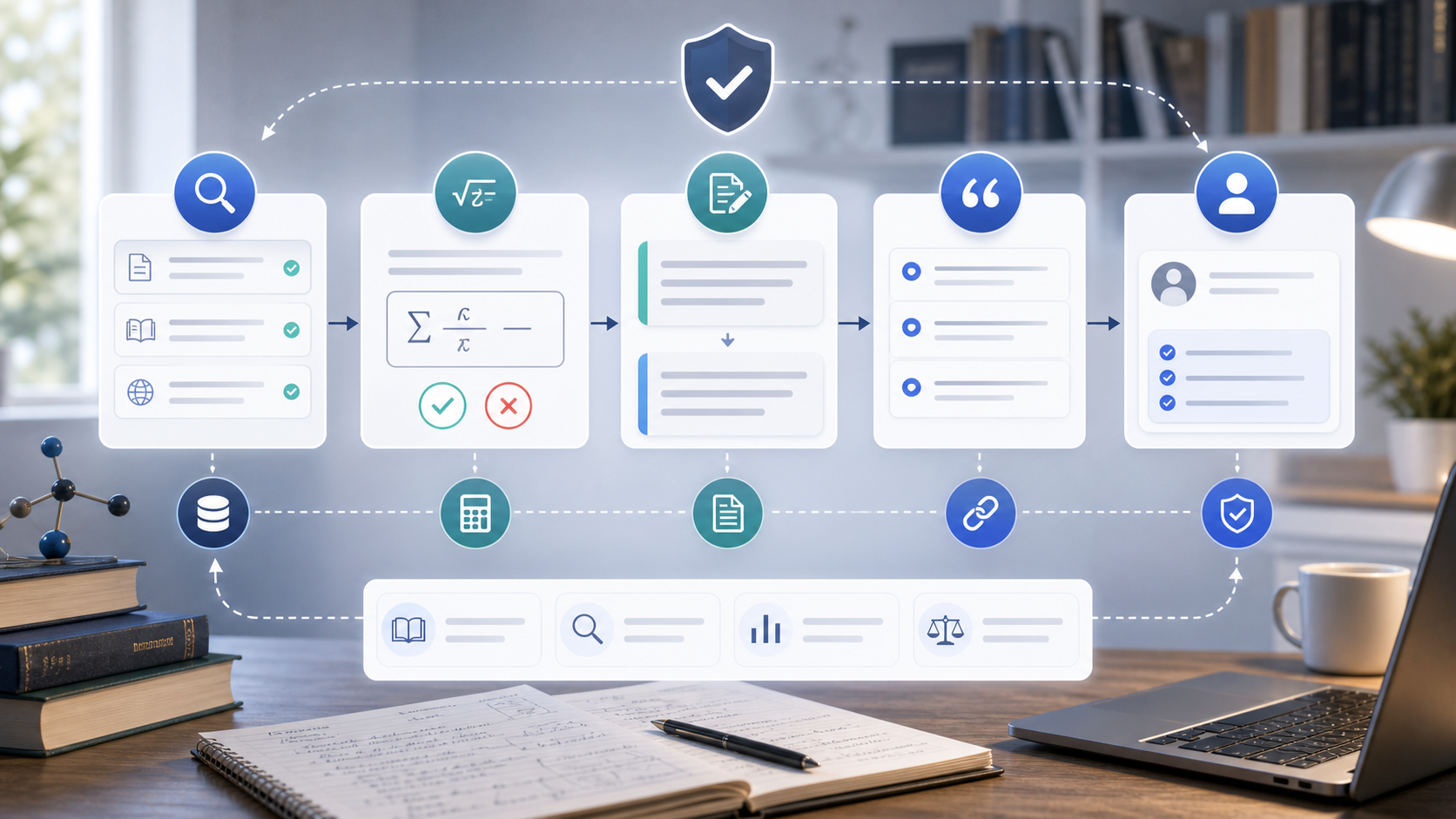
Here is a balanced DeepSeek 4.0 research workflow for students and researchers:
- Collect sources and label them clearly.
- Use DeepSeek V4 Flash for first-pass extraction and summaries.
- Ask for structured fields: research question, method, evidence, limitation, and citation note.
- Use DeepSeek V4 Pro for synthesis across sources.
- Ask it to identify disagreements, weak evidence, and missing citations.
- Use ScholarGPT AI to refine the academic workflow and compare research-assistant methods.
- Use AI Math Solver for equations, statistics, and quantitative claims.
- Use AI Rewrite Text to polish literature notes, abstracts, and explanations.
- Manually verify every important citation and claim.
This workflow treats DeepSeek V4 as a powerful research engine, not as an unquestionable authority.
Recommended Reading
For more academic AI workflow context, read these ScholarGPT AI guides:
- Gemini Deep Research: Review + Hands-On Guide for Faster, More Trustworthy Research
- AI-Powered Research Assistants Explained: What They Do, How They Differ, and Where ScholarGPT AI Fits
- ChatGPT 5.4 for Academic Research: A Practical, Unhyped Review
- Scite AI Review: A Practical, Unbiased Look at Smart Citations, Research Discovery, and Academic Workflow
- Rewrite Text AI with Scholar GPT AI: A Practical Guide to Rewriting, Rephrasing, and Polishing Text
- How to Solve Math Problems Faster with ScholarGPT's Math Solver AI
People also read:
- ChatGPT 5.5 Review: The AI Upgrade Built for Real Work, Not Just Better Answers
- Gemini Omni New Model Latest Info
- How to Turn Images Into Better AI Prompts with HeyDream AI
- SeaImagine AI Text-to-Video Guide
- How to Use the AI Music Video Generator
FAQ
Is DeepSeek 4.0 Deep Research an official DeepSeek feature?
I could not verify it as an official feature name. The official model language I found refers to DeepSeek-V4 Preview, including DeepSeek-V4-Pro and DeepSeek-V4-Flash. This review treats "DeepSeek 4.0 Deep Research" as a search-intent phrase for using DeepSeek V4 in research workflows.
Is DeepSeek V4 good for academic research?
DeepSeek V4 can be useful for academic research because of its 1M context, structured reasoning modes, and ability to process large document sets. It is strongest when used for extraction, comparison, outlining, and synthesis, but users still need to verify sources and citations.
Which is better for research: DeepSeek V4 Pro or Flash?
Flash is better for lower-cost, high-volume tasks such as first-pass summaries and field extraction. Pro is better for harder synthesis, multi-step reasoning, and complex research questions. Many workflows can use both.
Can DeepSeek V4 replace an AI research assistant?
Not completely. DeepSeek V4 is a strong model for reading and reasoning, but an AI research assistant workflow also needs source checking, math review, writing polish, and human judgment. ScholarGPT AI can help fill those academic workflow gaps.
How does AI Math Solver help with DeepSeek V4 research workflows?
AI Math Solver is useful when a paper includes equations, statistics, quantitative methods, or coursework-style problems. It can help step through the math separately instead of relying only on a general research summary.
How does AI Rewrite Text help with academic writing?
AI Rewrite Text helps polish research summaries, literature notes, abstracts, and explanations. It is useful after DeepSeek V4 creates a dense draft that needs clearer academic wording.
Conclusion
DeepSeek 4.0 Deep Research is not a verified official feature name, but DeepSeek V4 is clearly relevant to deep research workflows. Its 1M context, Pro and Flash variants, API access, and open-weight positioning make it a serious option for long-document analysis, source synthesis, and structured reasoning. The best results come when users pair it with careful verification and academic support tools such as ScholarGPT AI, AI Math Solver, and AI Rewrite Text.